
First
Go to control panel - network and internet - network connections.
Right click on the NIC card in question - properties - IPV4 - properties - .advanced - add
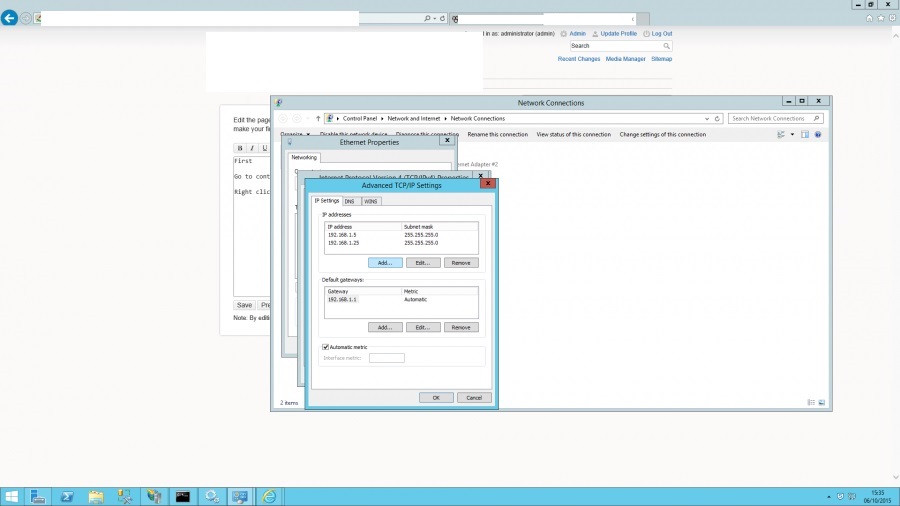
You will see from the image above I have added in a .25 on to this server….
Once you have added the additional IP on to the NIC card you then need to bind the IP in IIS.
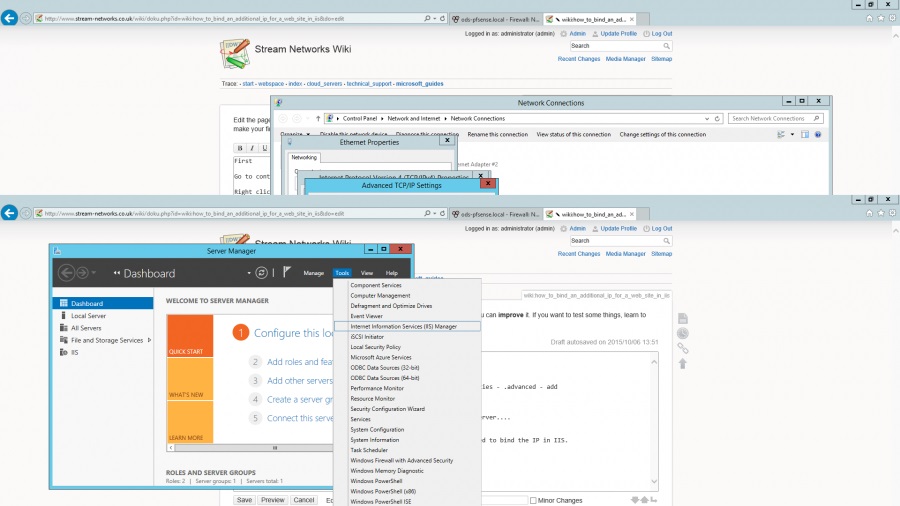
Go to server manager - tools - Internet Information Services (Manager)
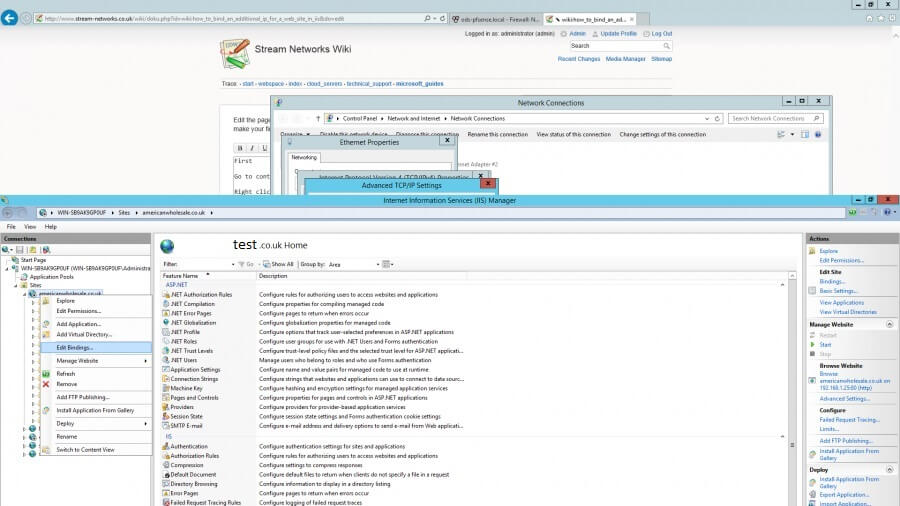
Once in IIS click on the server - then sites - and browse to the site in question - in the example below it is test.co.uk then right click on the site and “edit bindings”
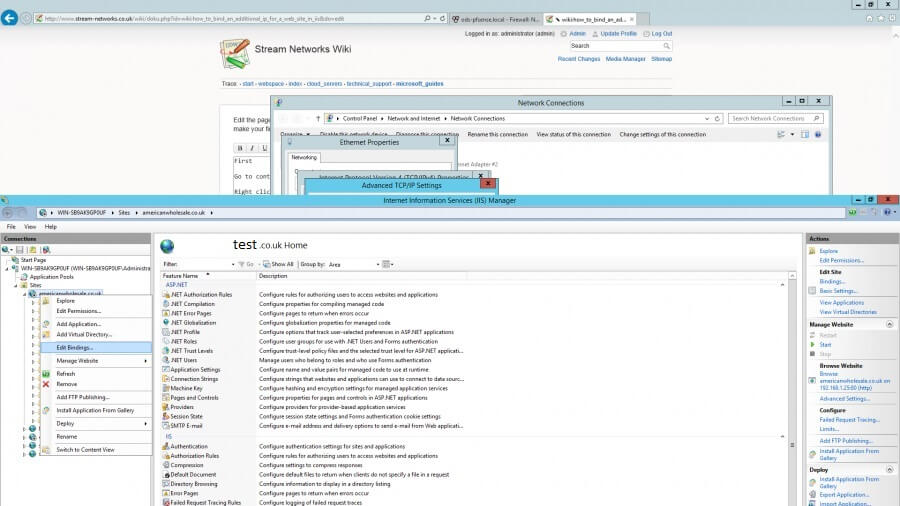
Then once you are in the bindings hit edit and you will be given a port number along with a list of IP addresses available (it will take this from the IP(s) you have added to the NIC… Pick the IP and click apply - bingo…
Now you will just need to add another WAN IP to your firewall and NAT it through.